
Any X & Y Resolution
Set any custom width and height

Engineered for 4K
All WhiteCore Player PCs support 4K as standard

8K On Request
8K and beyond available on request

Processor Compatibility
We ensure your processor supports the pixel load

Cloud Optimised
Smart delivery for perfect playback
1. Resolution is More Than Just 4K or 8K
total number of pixels, not the name.
| Resolution | Width × Height | Total Pixels | Compared to 4K UHD |
|---|---|---|---|
| Full HD | 1920 × 1080 | 2,073,600 | 25% |
| 4K UHD | 3840 × 1080 | 4,147,200 | 100% |
| 8K UHD | 7680 × 4320 | 33,177,600 | 400% |
| Ultra-Wide | 8960 × 384 | 3,440,640 | 41% |
| Banner | 15360 × 256 | 3,932,160 | 47% |
| Super Wide | 12288 × 768 | 9,437,184 | 114% |
4K UHD (3840 × 2160)

4K UHD (3840 × 1080)


WhiteCore.ai Studio (CMS)
Design any X & Y resolution

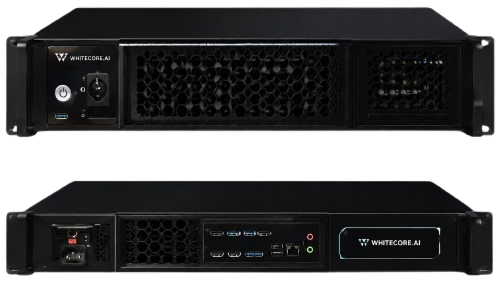
Kraken Player (PC / GPU)
Renders and outputs the pixels

LED Processor
Receives the signal and drives the LED

KLED Display
Displays your content perfectly
CMS / Studio
-
 Set any custom resolution
-
Total pixel calculation
-
Optimised content delivery
-
No forced resizing or cropping
PC / GPU
-
 Must support the resolution
-
4K support as standard
-
8K on request
-
GPU accelerates playback
LED Processor
-
 Must support the input resolution
-
Must support the pixel capacity
-
HDMI 2.1 or DisplayPort recommended
-
Check max width, height & total pixels

1. Upload in Studio
2. Stored in the Cloud

3. Optimised Delivery

4. Sent to Player

5. Rendered by GPU

6. Output to Processor
7. Shown on LED
PC Must Support
4K Resolutions


All WhiteCore Player PCs are 4K capable as standard.
Designed for 24/7 digital signage and ultra-wide canvases.
Powerful GPU for smooth playback at any resolution.
8K and higher resolutions available on request.
Customer Assurance
We pre-configure and test all systems to ensure your PC can handle the resolution you need.
4. Processor Must Support Your Resolution
bandwidth and total pixel capacity.
- ✓NovaStar – Industry leading processors
- ✓Brompton – Premium processing solutions
- ✓HDMI 2.1 / DisplayPort – Higher bandwidth
- ✓Check maximum width, height and total pixels
- ✓Use multiple outputs if needed for extreme sizes
Not all processors support ultra-wide resolutions. We will validate compatibility based on your Custom X & Y before deployment.
5. Bandwidth & Connection Guide
| Connection | Max Resolution (Example) | Max Refresh Rate | Notes |
|---|---|---|---|
| HDMI 2.0 | 3840 × 2160 (4K) | 60Hz | Limited bandwidth |
| HDMI 2.1 | 7680 × 4320 (8K) | 60Hz | Good for most setups |
| DisplayPort 1.4 | 7680 × 4320 (8K) | 120Hz | High bandwidth |
| DisplayPort 2.1 | 15360 × 8640 (16K) | 120Hz+ | Best for ultra-wide / future proof |

Any Size. Any Shape. Maximum Quality.
From ultra-wide ribbons to massive architectural displays,
WhiteCore.ai and Kraken Player deliver pixel-perfect playback.