
Installation Scenarios
Flexible Installations. Built for Any Environment.
WhiteCore AI is designed to work the way you need it to, from simple content playback to full AI analytics across multiple locations.
Scenario 1
Single Screen Setup
Content Management Only
A simple way to get started. Deploy a WhiteCore Media Player with your screen and manage content using Studio.
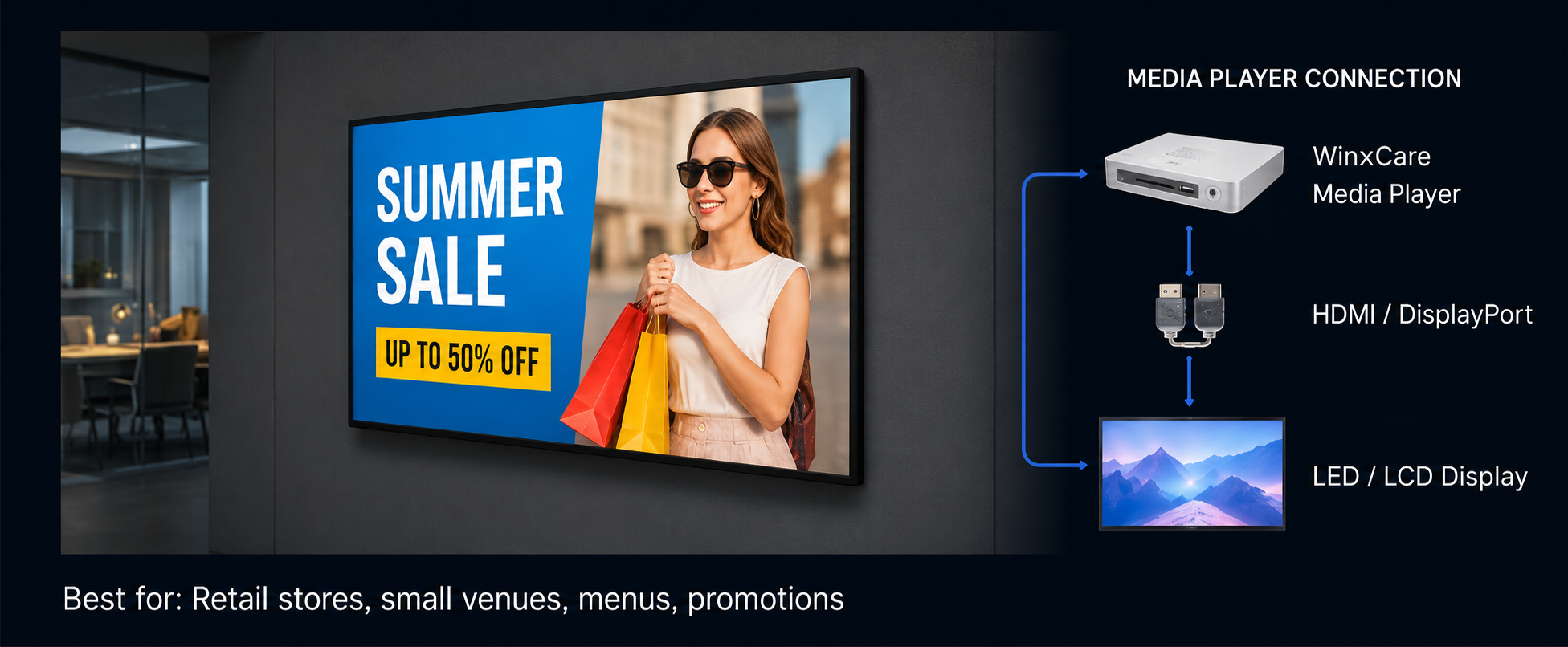

Content Management

Scheduling & Playlists

Cloud Managed
Scenario 2
Single Screen + AI Camera
People Counting & Analytics
Add an AI camera above your screen for analytics like people counting, dwell time, heatmaps and more.
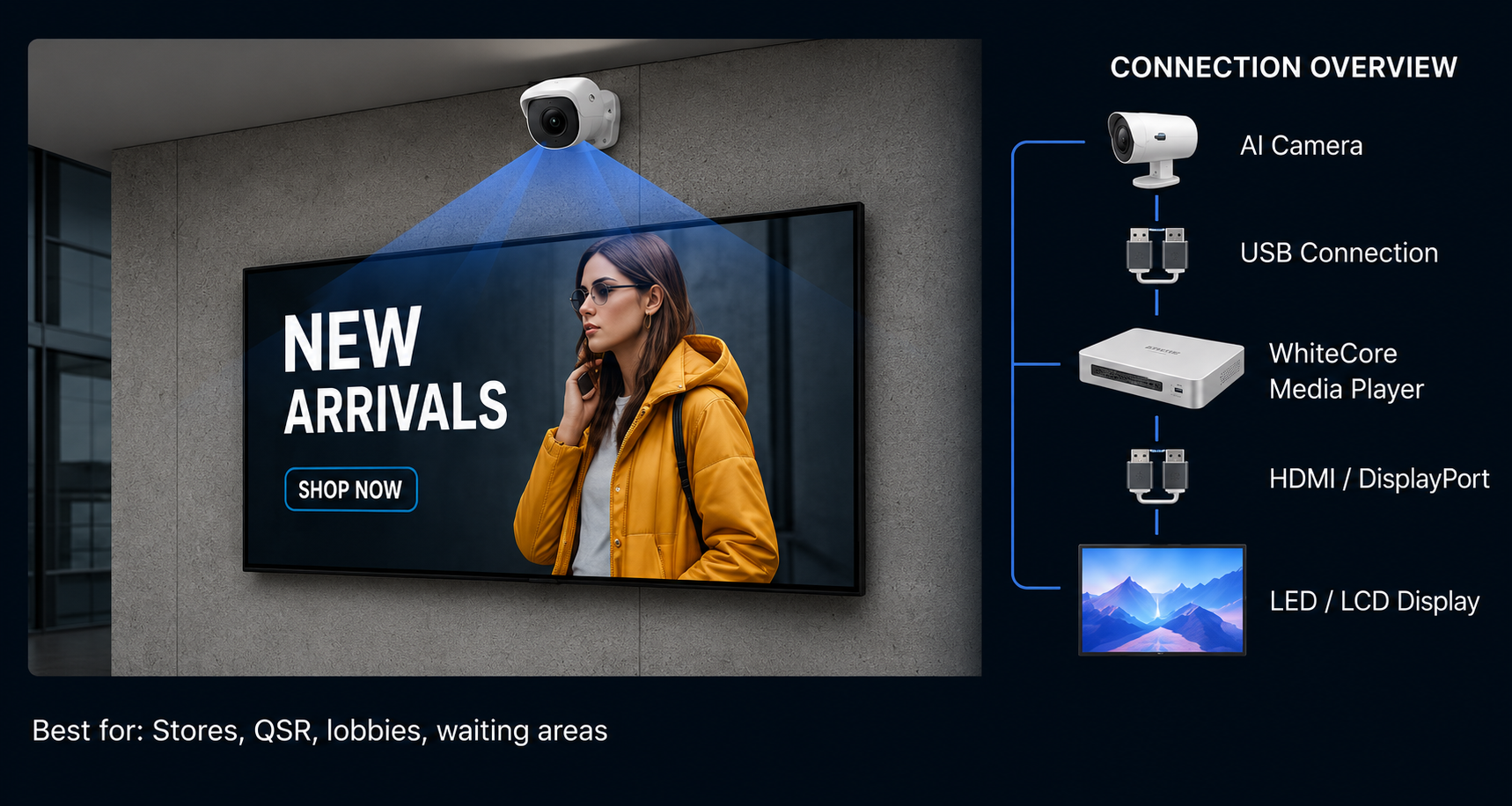

People Counting

Dwell Time

Heatmaps

Event Alerts
Scenario 3
Multiple Screens + Multiple AI Cameras
Scale Your Analytics
Deploy multiple screens with dedicated AI cameras to capture insights across key areas of your venue.
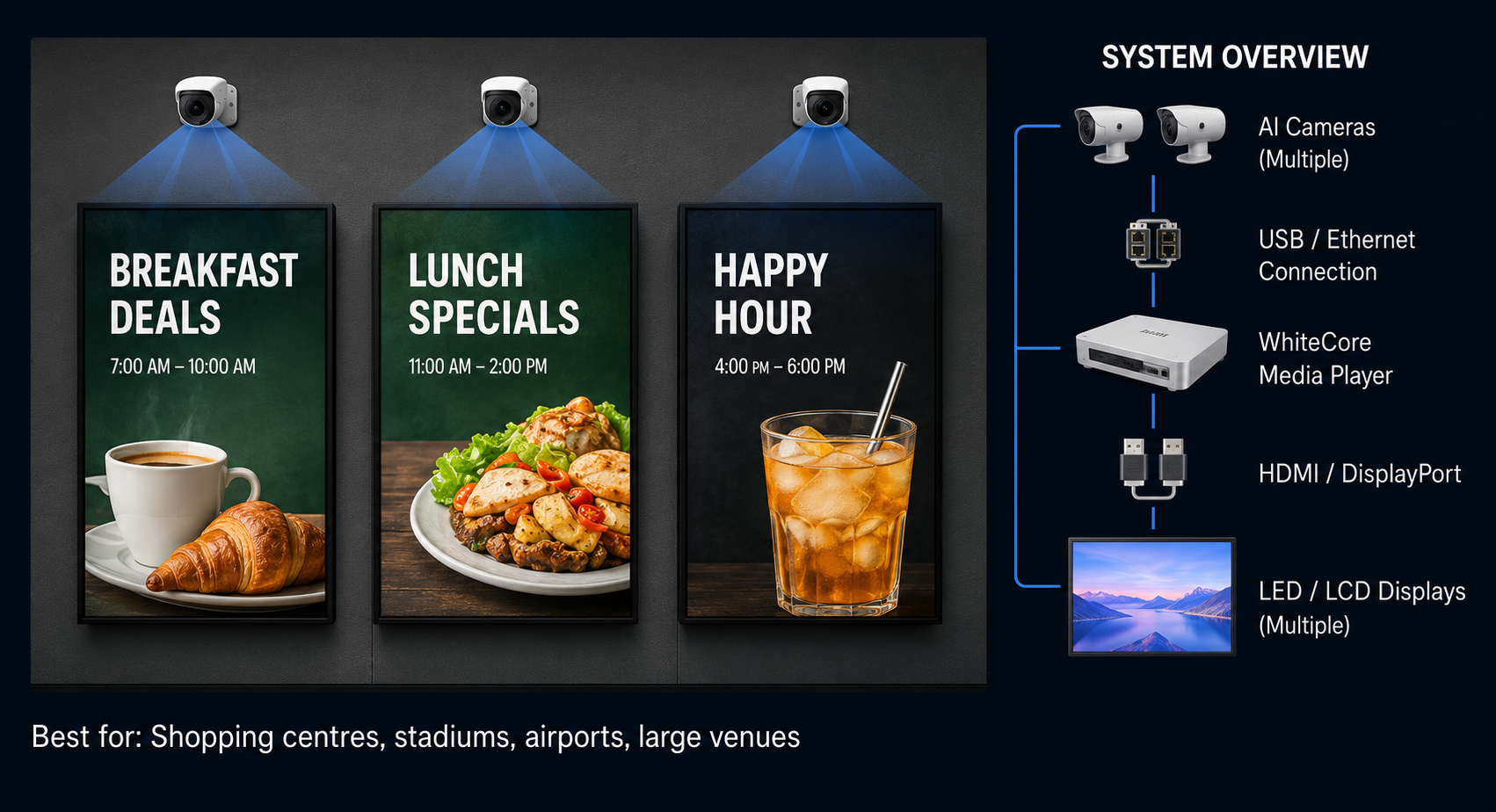

Multi-Screen Management

Multi-Zone Analytics

Centralized Dashboard

Advanced Reporting
Scenario 4
Retrofit Existing Cameras + Multiple Screens
Use Your Existing Infrastructure
Connect your existing IP cameras (NVR/DVR) to WhiteCore.AI and display content across any number of screens.
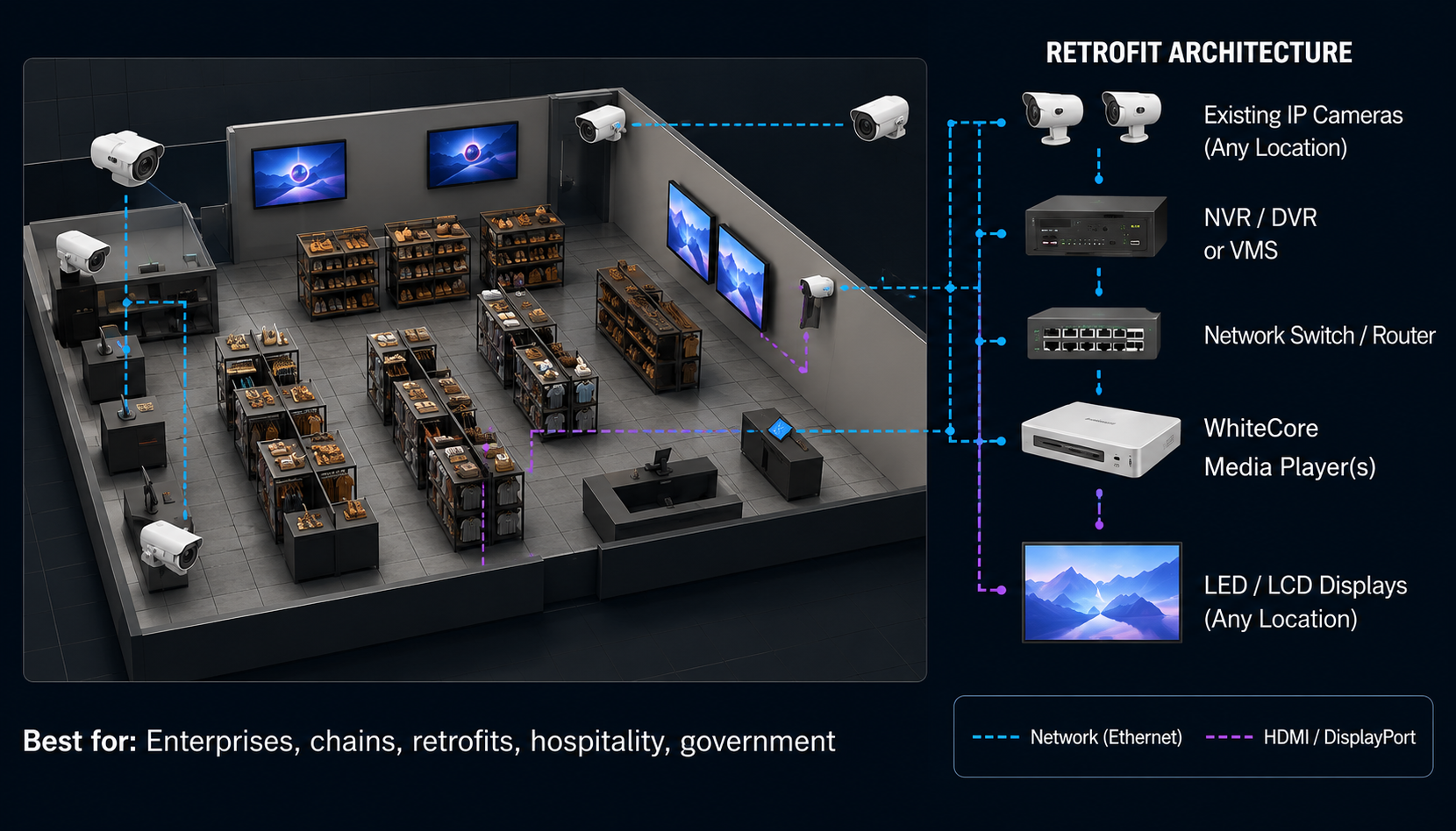

RTSP / ONVIF Support

Works with NVR / DVR

Any Camera Placement

Flexible Deployment
One Platform. Every Scenario.
Whether you're starting with one screen or scaling to hundreds, WhiteCore AI adapts to your needs - today and tomorrow.

Easy to Install
Plug and play setup in minutes.

Scalable
From one screen to thousands.

AI-Powered
Analytics from your screens and cameras.

Secure & Reliable
Enterprise-grade security & uptime.