 WHITECORE
1
Install the player
Download the appropriate Windows, macOS, Linux or Raspberry Pi package. Follow the installation instructions for your device.
How WhiteCore works · Devices
 Windows
 macOS
 Linux
 Raspberry Pi
WhiteCore is software only. Install the player on your own compatible device and connect it to your screen.
Sign up free1
Download the appropriate Windows, macOS, Linux or Raspberry Pi package. Follow the installation instructions for your device.
2
Create or select a location, open Pair Media Player and enter the six-digit code shown by your player. Confirm each media player licence (US$9/player/month) before activation.
3
Check player status, preview assigned content and inspect logs. Use supported sync or restart controls when needed.
4
Connect supported USB or RTSP cameras. Keep locations and timezones accurate so your schedules and analytics use the right context.
5
Use LCD or LED displays, landscape or portrait layouts, and custom X/Y resolutions. Preview the layout at the target aspect ratio before publishing.
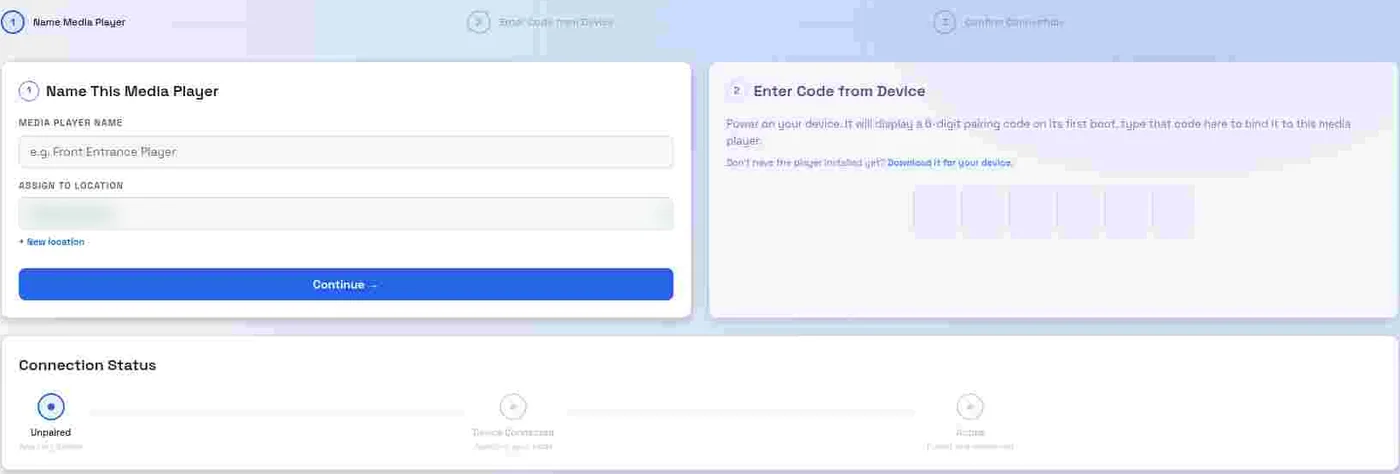
Inside the WhiteCore app
Sites are free. Players and AI cameras are billed individually, regardless of which site they belong to.
Download player