 WHITECORE
1
Choose an outcome
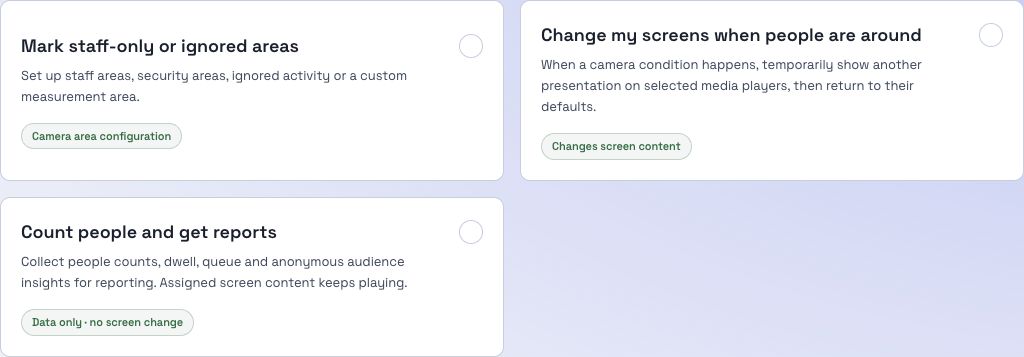
Collect data, automate screen content or define operational areas. The wizard asks for the camera, area and action your outcome needs.
How WhiteCore works · Measurements & Triggers
Use guided setup to choose what matters, how to measure it and what should happen next.
Sign up free1
Collect data, automate screen content or define operational areas. The wizard asks for the camera, area and action your outcome needs.
2
Choose Condition → Presentation → Media players → Review. A triggered presentation temporarily replaces the normal content, then returns to the assigned default.
3
Use guided templates such as High Traffic Promo, Long Queue Response, Quiet Period and After Hours Promo. Compare measured demand and staffing information through Staff Optimisation.
Inside the WhiteCore app
AI camera subscriptions unlock camera measurements. Content automation also needs a media player licence (US$9/player/month). SMS Alerts is a separate optional add-on.
See pricingLooking for object detection and alerts? See Object Intelligence →
Staff Optimisation: compare your roster with demand →
All resources