
Vision AI
AI digital signage with audience analytics
Turn cameras into real-time audience intelligence.
WhiteCore.AI connects digital signage with privacy-first Vision AI, helping you understand what's happening in your space and deliver the right content at the right time.
Capabilities
Real-time audience intelligence, built in.
Vision AI capabilities that turn compatible cameras into a source of insight, from raw footfall to behaviour-driven automation.

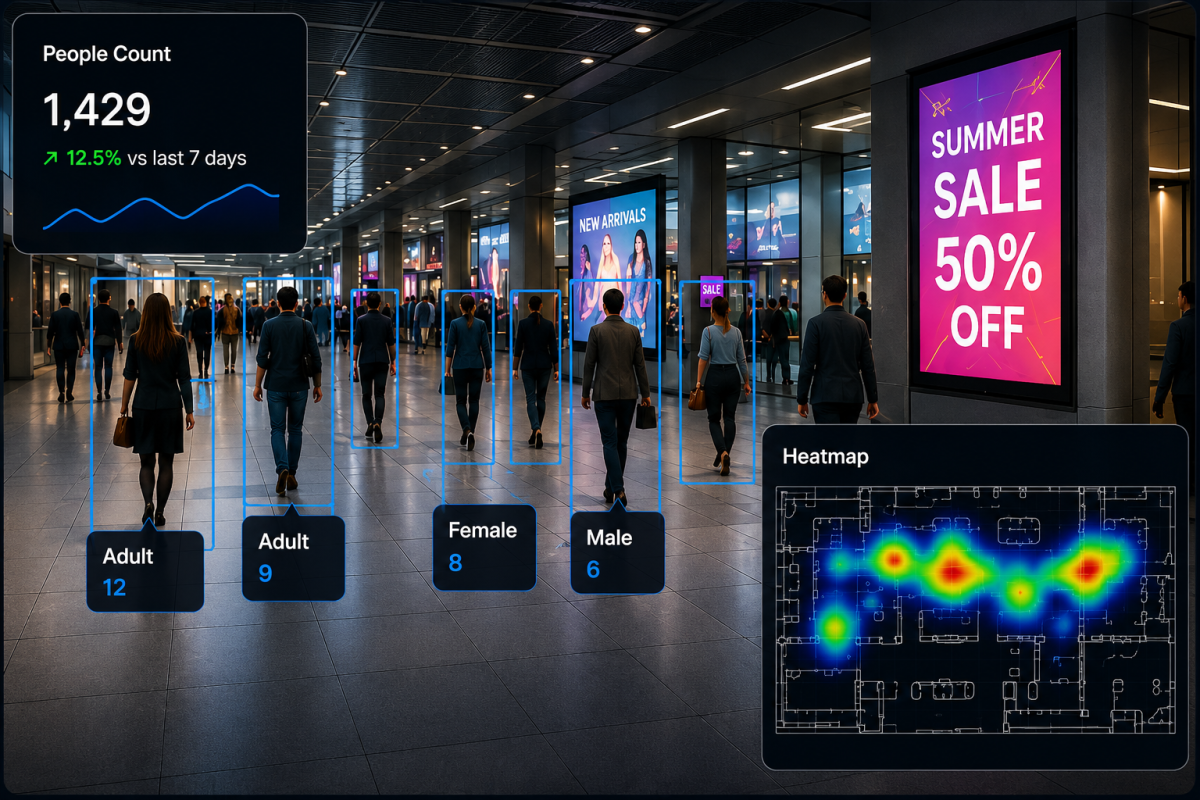
People Counting
Accurate real-time people counting across multiple locations.

Dwell Time
Measure how long people engage.

Active Shopper Filtering
Separate active and fleeting visitors using anonymous dwell inside a configured customer area.

Attention Tracking
Detect which screens attract attention and for how long.

Zone Analytics
Track customer areas and exclude dedicated staff or security areas from shopper reporting.

Heatmaps
Visualise high-traffic and engagement areas instantly.
Smart Triggers
Trigger content or alerts based on behaviour, events or thresholds.
How it works
How Vision AI works
From an online media player and camera to useful reporting in five guided steps. Venue maps and floor-plan matching are optional.

Step 1
Connect Player & Camera
Bring the Whitecore media player online first, then add a USB or compatible IP camera and confirm it is sending a fresh frame.

Step 2
Add a Venue Map (Optional)
Upload a floor plan only when you want to position cameras on a venue map or add mapped spatial context to your reporting.

Step 3
Draw Measurement Zones
Draw around entrances, queues, counters or customer areas. Each zone tells Vision AI exactly where to count and measure activity.

Step 4
Choose Data or Automation
Collect entry and exit, dwell, queue and active-shopper data—or use Content Automation to change what selected screens play.
Step 5
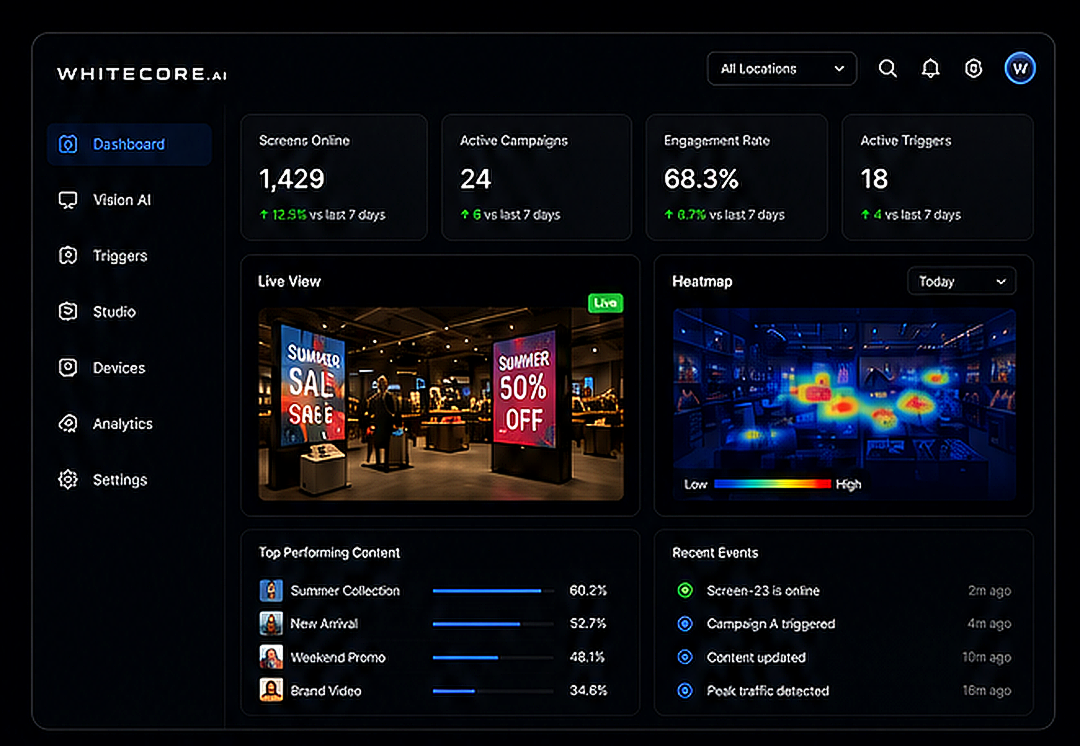
Review Results & Recommendations
Use Dashboard and Analytics to review live counts, heatmaps, trends and AI executive recommendations by date and location.
Good to know: basic zones, people counting, entry and exit measurement, dwell time and content automation do not require calibration. Use floor-plan matching only when you want a camera view aligned to an uploaded venue map.
Insights
AI insights you can act on
Everything you need to connect cameras, define measurements, automate content and act on Vision AI results from one online dashboard.
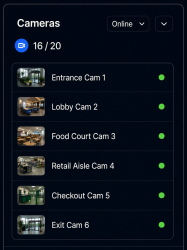
Camera Setup
Bring the media player online, connect USB or RTSP cameras and verify a fresh frame.
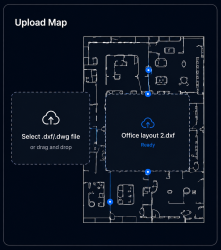
Venue Maps (Optional)
Upload a floor plan when positioning cameras on a map adds useful venue context.
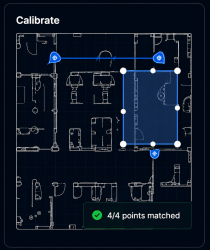
Floor-plan Match (Optional)
Match camera points to a venue map only when mapped spatial analysis is required.
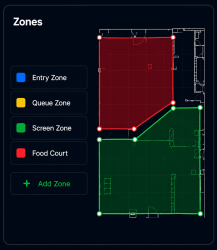
Measurement Zone Builder
Draw areas for entry and exit counts, dwell, queues and active-shopper measurement.
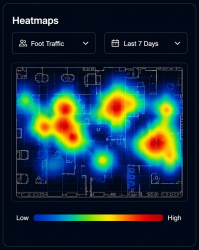
Heatmap Analysis
Visualise crowd density and engagement across your venue.
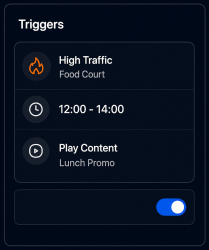
Measurements & Content Automation
Keep reporting measurements separate from rules that temporarily change screen content.
Trusted by leading brands and organisations







One connected platform
Connect AI digital signage with content and venue insight
Start with the signage workflow your team needs, then connect analytics, privacy controls and automation where they support a clear operational goal.
Cloud Digital Signage CMS
Create, schedule and publish content before adding AI measurements or automated triggers.
Explore →Retail Analytics Software
Compare foot traffic, dwell, zones, heatmaps and store trends across locations.
Explore →Venue Analytics Software
Turn anonymous venue activity into practical operations and marketing insights.
Explore →Privacy & Security
Review local video processing, anonymous metadata and WHITECORE privacy controls.
Explore →Frequently asked questions
Questions about AI digital signage
What is AI digital signage?
AI digital signage combines content management and screen playback with artificial intelligence. WHITECORE can use privacy-first Vision AI measurements to report venue activity or trigger approved screen content when configured conditions are met.
Do I need cameras to use WHITECORE digital signage?
No. The cloud CMS, Studio, playlists, scheduling, players and screen management work without cameras. Compatible cameras are optional and are only needed for Vision AI measurements, analytics or camera-driven content automation.
What can WHITECORE Vision AI measure?
Configured Vision AI deployments can measure people counts, entry and exit activity, dwell time, queues, zones, heatmaps and attention-related events, then compare results by location and time period.
Does WHITECORE identify visitors or scan their phones?
No. WHITECORE processes compatible camera video locally and sends anonymous metadata to the cloud. It does not use facial recognition, visitor identification, mobile-phone scanning, Wi-Fi probing or personal-device fingerprinting.
Can AI change digital signage content automatically?
Yes. Teams can define approved rules that temporarily change selected screen content when a configured measurement, event or threshold occurs, while keeping ordinary playlists and schedules under CMS control.
See Vision AI in action
Discover how WhiteCore.AI Vision AI can help you understand your audience and deliver smarter content.